shape shape shape

Xtract Genie

Business cards, digitised instantly

Xtract Genie is a smart business card scanner app designed to help you digitize and organize contacts effortlessly. You meet people, collect business cards, and before you know it, they pile up and become difficult to manage.

With Xtract Genie, you can scan business cards instantly and store all contact details directly into Google Sheets, making contact management simple, structured, and accessible anytime.

Scan it. Save it. Done.

App Preview dots
Card Scanner

What is Xtract Genie

Smart Business Scanner

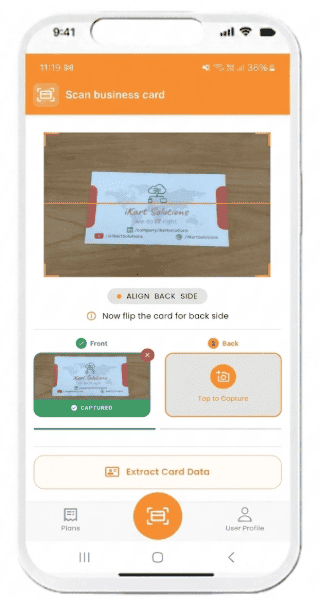
Scan business cards into organised digital google sheet instantly.

Scanned Card

How it Works

Scan. Sync. Save.

Scan Business cards and auto-store details into your Google Sheet.

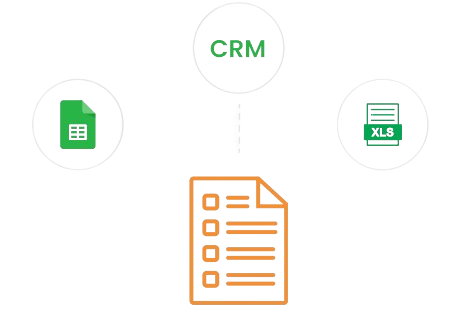
Export to CRM

Move Anywhere

Export to CRM

Move your Merged contacts to any CRM with ease.

about dots

About Xtract Genie

Xtract Genie is a smart business card scanner app that makes contact management effortless. It captures details from visiting cards with high accuracy and instantly organizes them into a clean, structured Google Sheet. There's no need for manual typing, and no risk of missing important information. Users can easily store, edit, and access their contacts anytime through a simple and reliable workflow.

Built for individuals and teams who handle large volumes of business cards at events, meetings, and field visits, Xtract Genie helps streamline networking and follow-ups. It keeps your contact data organized, prevents information loss, and ensures consistency across records. With fast scanning and efficient data management, Xtract Genie becomes a dependable tool for managing professional contacts across industries.

How It Works

From scattered business cards to organized contacts in seconds.

Problem

Business cards disappearing into bags, pockets and drawers.

The Problem

Business cards don't stay where they should. They get lost in pockets, buried in bags, or forgotten in drawers.

By the time you need that one important contact, it’s already gone.

  • Cards disappear before you even get home.
  • Manual typing is time-consuming and tedious.
  • Important contacts slip through the cracks.
  • Your wallet isn't built to manage data.

The Solution

Xtract Genie turns every business card into a structured, digital contact-instantly.

Just scan the card, and it's automatically saved in a clean, organized Google Sheet.

  • No typing. No clutter. No hassle.
  • Instant, accurate data capture
  • Contacts stored, searchable, and ready when you need them.
  • Built for speed, simplicity, and reliability
Solution

Snap. Scan. Saved as a clean contact in seconds.

Features & Fit

What makes Xtract Genie a vibe — and who it’s built for.

Features

What makes Xtract Genie stand out

  • Fast and highly accurate business card scanning.
  • Zero manual data entry required.
  • Smart search to quickly find any contact.
  • Eliminates physical card clutter.
  • Clean, intuitive, and easy-to-use interface.
  • Seamless integration with Google Sheets.
  • Built for speed, efficiency, and reliability.
Who it’s for

If you collect business cards, this is for you

  • Students building networks.
  • Freelancers managing multiple clients.
  • Creators and collaborators.
  • Sales professionals and business teams.
  • Startup founders and operators.
  • Anyone who networks regularly.

If you meet people, you need this.

Choose a Plan

Flexible plans designed to match your contact management needs.

Starter
₹499
  • 1 month
  • 100 scans
Growth
₹1999
  • 6 months
  • Unlimited Scan
Value for money
₹2999
  • 12 months
  • Unlimited scans
shape
shape

Download The App

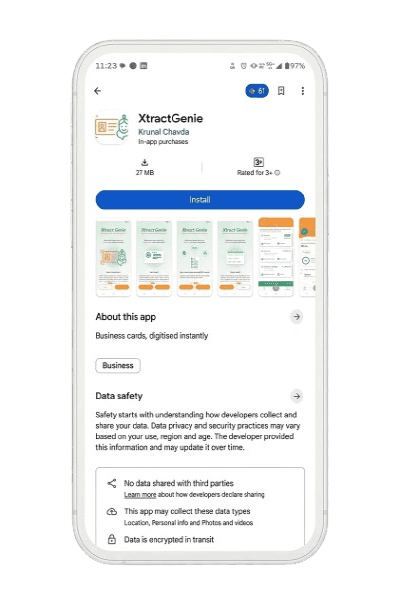
XtractGenie - Business cards, digitised instantly

download

Why Xtract Genie — Why do people love it?

Xtract Genie keeps your contact list organised without extra effort. It’s smooth, fast and fits right into your daily routine.

No Typing
No Typing
Super Quick
Super Quick
Looks Clean
Looks Clean
Feels Natural
Feels Natural
Saves Time
Saves Time

Ready to upgrade your contact game?

Stop losing cards. Start saving connections that matter.

Sending...